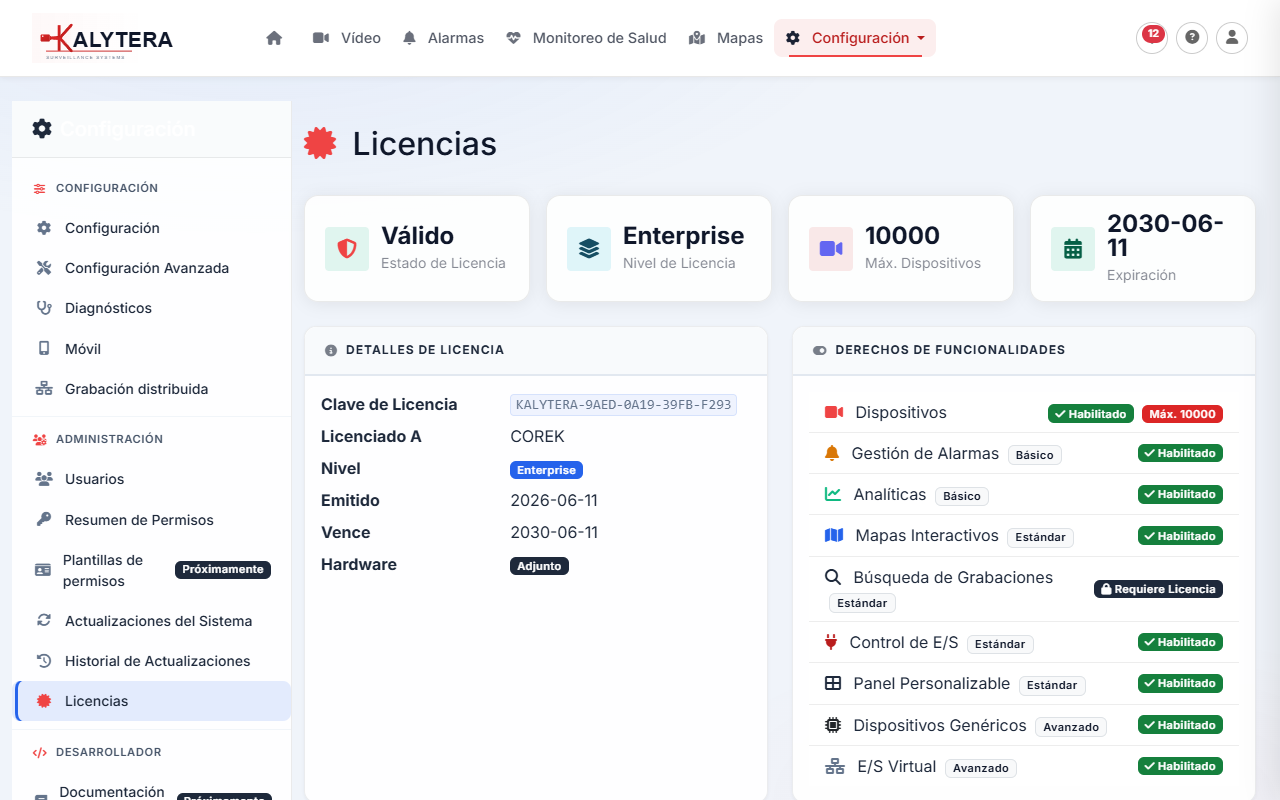
Kalytera VMS is available in four license tiers to match different deployment sizes and feature needs:
| Edition | Cameras | Price | Key Additions |
|---|---|---|---|
| Community | Up to 4 | Free | Core recording and live view |
| Standard | Up to 16 | Per camera | Alarms, analytics, export, Maps |
| Professional | Up to 64 | Per camera | Multi-node, advanced analytics, API |
| Enterprise | Unlimited | Contact us | White-label, on-prem support, SLA |
| Feature | Community | Standard | Professional | Enterprise |
|---|---|---|---|---|
| Live view (WebRTC + HLS) | ✓ | ✓ | ✓ | ✓ |
| Continuous / Scheduled / Motion recording | ✓ | ✓ | ✓ | ✓ |
| Recording playback & export to MP4 | ✓ | ✓ | ✓ | ✓ |
| Alarm rules & notifications | — | ✓ | ✓ | ✓ |
| AI object detection & analytics | — | ✓ | ✓ | ✓ |
| Maps (floor plan layout) | — | ✓ | ✓ | ✓ |
| Multi-recording-node deployment | — | — | ✓ | ✓ |
| REST API access | — | — | ✓ | ✓ |
| White-label branding | — | — | — | ✓ |
Moving Kalytera to a different server requires a license transfer. Contact support to release the old hardware binding before activating on the new machine.
From Admin → Licensing you can:
Purchase an upgrade from the Pricing page. After purchase, you receive a new license key. Navigate to Admin → Licensing, click Activate License, and enter the new key — the system upgrades immediately without a restart.