Kalytera Tools  /  Device Manager

Commission IP cameras from one Windows app

Device Manager finds the ONVIF cameras on your local networks, shows what each one reports, checks its streams and clock, and changes its settings. Pro works on many cameras at once and writes the site-survey report.

A Windows x64 app. Discovery, checks and settings changes are free.

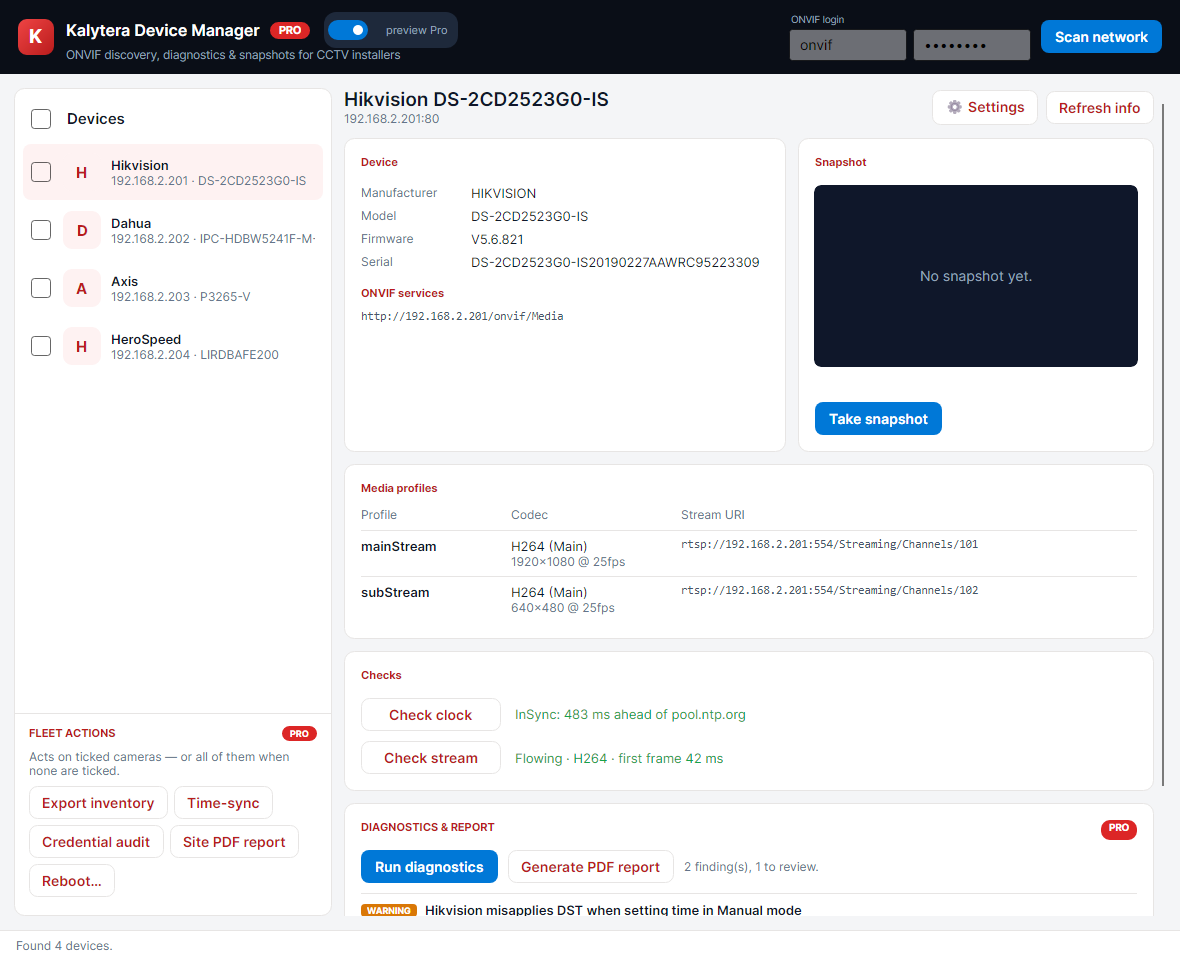
Device Manager with discovered cameras, media profiles and diagnostics

Discovery, device details, media profiles, snapshots and checks in one window.

Find and inspect cameras

  • ONVIF WS-Discovery on every local network interface
  • Manufacturer, model, firmware, serial number, media profiles and stream URIs for each camera
  • Snapshots, and stream checks that measure the time to the first frame
  • Clock and NTP checks, and switching a camera's clock to NTP

Change settings

  • Native adapters for Axis (VAPIX), Hikvision (ISAPI) and Dahua; other cameras through ONVIF
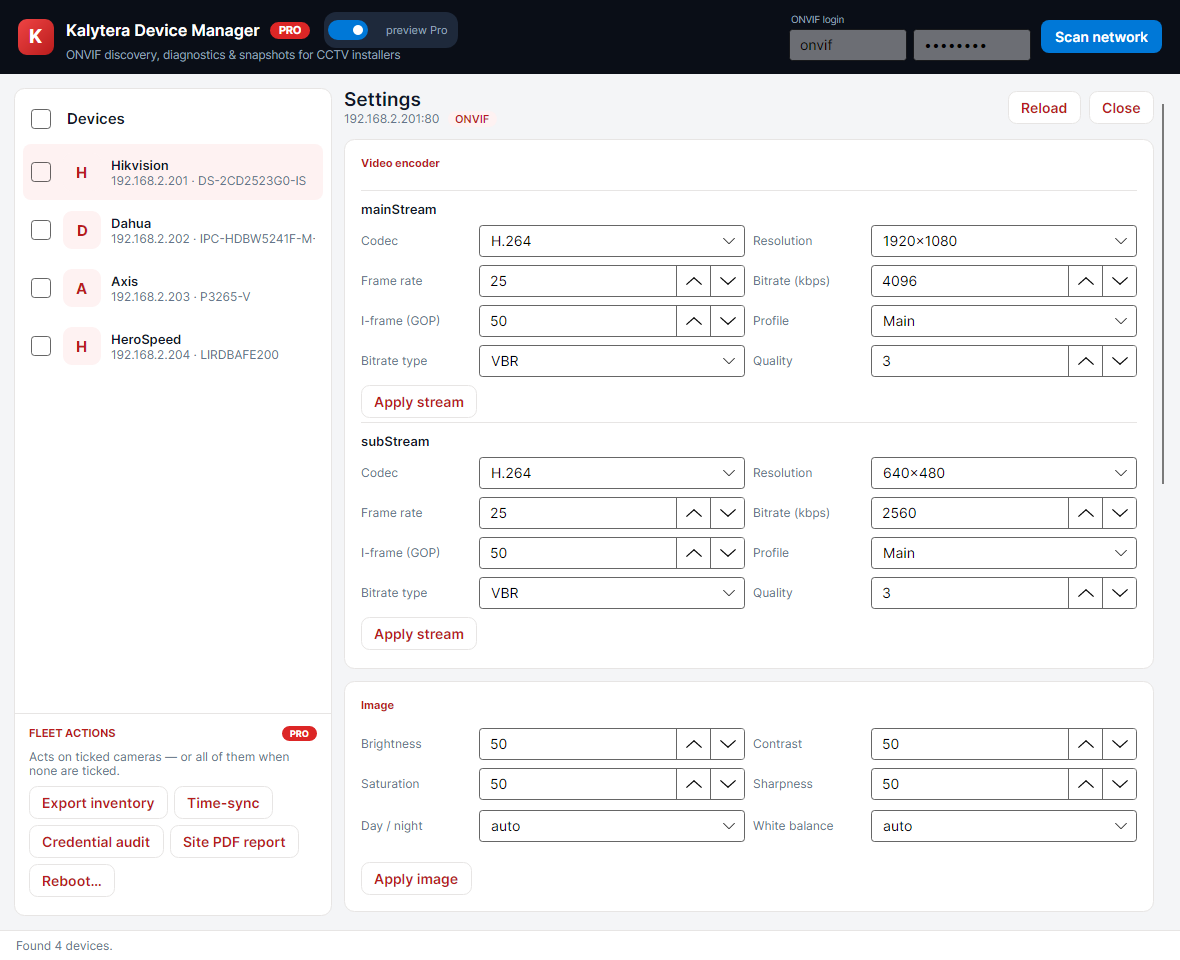
  • Video encoder, resolution, bitrate, on-screen text and image settings in one editor
  • The native adapters reach settings that ONVIF does not expose, such as on-screen text

Work across a camera fleet Pro

Pro runs the same operation on a group of cameras and documents the result.

  • Bulk time sync and bulk reboot
  • Inventory export
  • Paced check for cameras that still use a default password
  • Stream, clock and codec diagnostics
  • PDF site-survey report

Free and Pro editions

Free

Discovery, device details, snapshots, stream and clock checks, and settings changes, one camera at a time.

Pro

Bulk time sync and reboot, inventory export, the default-password check, diagnostics and the PDF site-survey report. We quote Pro licenses.

Download Device Manager

The installer is an MSI package for Windows x64. Sign in with an approved Kalytera account to download it.

You need an approved account

Downloads need a Kalytera account. After you register and confirm your email address, we review the account and approve it by hand.

The installers are not code-signed yet

Windows SmartScreen may ask you to confirm the first time you run an installer: choose More info, then Run anyway. To check a file before you run it, compare it with the SHA-256 checksum listed here.

Current release

Kalytera Device Manager 1.0.0

Version
1.0.0
Released
July 5, 2026
Kalytera-DeviceManager-1.0.0.msi Windows x64 · 84 MB
Sign in to download
SHA-256 8390c49e80dd4f39420d064113f19d21f02d0f1035996c32fbf45539344a16b0